
To test an AS2 connection properly, validate the network route, AS2 identities, certificate operations, message packaging, MDN evidence and downstream business acknowledgment. A browser response or open port proves only connectivity; it does not prove that production EDI files will be accepted.
Use a staged test plan and record evidence at each layer. That makes failures easier to isolate and gives both trading partners an objective go-live decision.
Hands-on tutorial: test AS2Connection with Mendelson
Mendelson operates a public AS2 interoperability server that is useful for a first outbound AS2 connectivity test. You can use the AS2 service purchased from AS2Connection as the sending platform, point a dedicated test profile at Mendelson and confirm the message in Mendelson’s public monitor.
This test proves that your platform can build, sign, encrypt and transmit an AS2 message and correlate a synchronous MDN from an independent AS2 implementation. It does not prove that a production trading partner has loaded your certificate, that your inbound route works or that an ERP will accept the EDI document.
Security warning: Mendelson states that the server is public and that all submitted data can be visible to other users. Send only invented, non-sensitive content. Never send a real order, invoice, customer record, credential, production certificate or other confidential data.
Mendelson test parameters
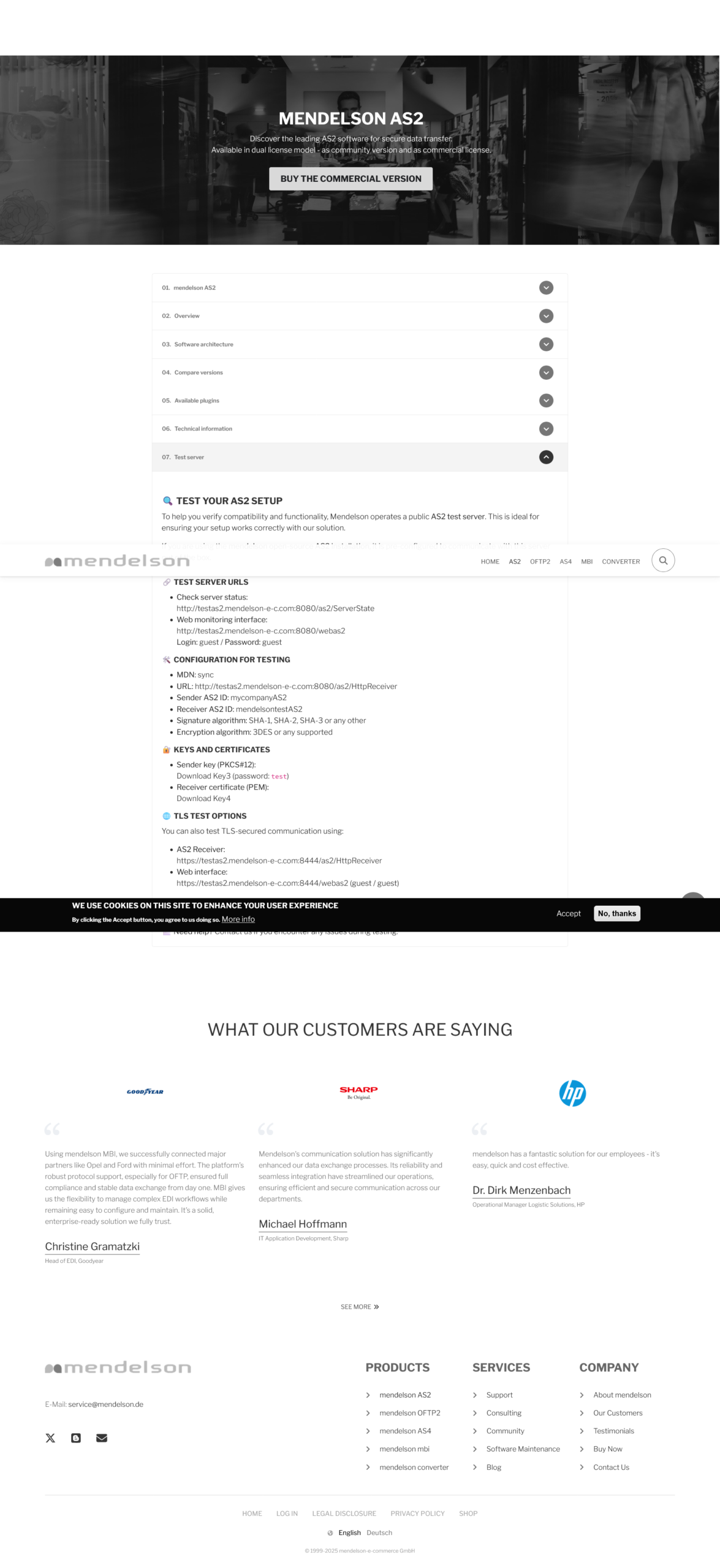
Use the values published in the official Mendelson AS2 Test server section. Keep them in a profile that is clearly marked as test.
| Field | Value for this test | Where it belongs |
|---|---|---|
| Local test station | Mendelson interoperability test | AS2Connection |
| Sender AS2 ID | mycompanyAS2 | Local test station |
| Sender signing key | Mendelson Key3 PKCS#12 | Local test station only |
| Key3 password | test | Key import |
| Partner name | Mendelson public test | AS2Connection partner |
| Receiver AS2 ID | mendelsontestAS2 | Partner profile |
| AS2 receiver URL | http://testas2.mendelson-e-c.com:8080/as2/HttpReceiver | Outbound partner endpoint |
| Receiver certificate | Mendelson Key4 PEM certificate | Partner encryption/verification certificate |
| MDN mode | Synchronous | Partner receipt configuration |
| Signature | A mutually supported SHA-2 option is preferred | Outbound security policy |
| Encryption | A mutually supported AES option is preferred | Outbound security policy |
Mendelson accepts several signature and encryption algorithms, including legacy options. Prefer a SHA-2 digest and AES encryption when both profiles support them. Do not weaken a production policy just to complete this public test.
Why you need a separate test profile
The public server is preconfigured for the shared sender identity mycompanyAS2 and its published Key3 private key. Your normal AS2Connection station uses your company’s own AS2 ID and private key, so sending that production identity unchanged may be rejected as an unknown partner.
Create an isolated station or test identity inside your AS2Connection account. If your plan does not expose private-key import or additional identities in the console, ask AS2Connection support to provision this temporary profile. The purchased connection remains the AS2 runtime; only the test identity and key material change. Never replace or export the private key of your production station.
Step 1: check that the Mendelson server is available
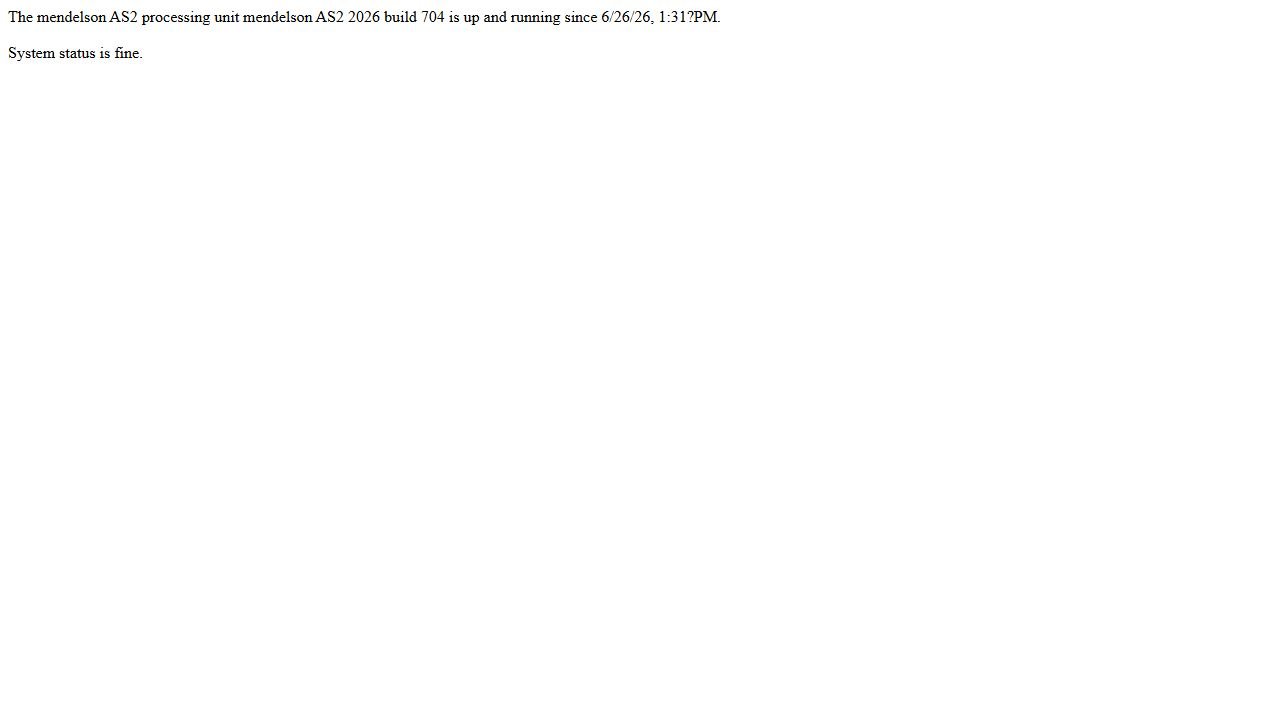
Open the Mendelson server-status page. Continue only if it reports that the processing unit is running and the system status is fine. Mendelson provides this service without an availability guarantee, so a failed status check can simply mean that the public test system is under maintenance.
Step 2: download the two official test keys
Download Key3 and Key4 from Mendelson.
- Key3 is a PKCS#12 test bundle containing the sender private key. Import it only into the isolated Mendelson test station and use password
test. - Key4 is Mendelson’s public receiver certificate. Import it into the Mendelson partner profile so AS2Connection can encrypt the outbound message for the test receiver.
Both files are intentionally public test material. Do not use them for a production relationship and do not mistake Key3 for a secret supplied by your own company.
Step 3: create the isolated sender station
In the AS2Connection console, create or request a test station with these essential values:
- internal name:
Mendelson interoperability test; - AS2 identifier:
mycompanyAS2; - signing identity: Mendelson Key3;
- environment label: Test;
- no production inbox, ERP route or business automation attached.
Keep your existing production station untouched. If the console automatically generates a station key instead of offering an import, stop at that point and have AS2Connection support attach Key3 to the dedicated profile.
Step 4: add Mendelson as an AS2 partner
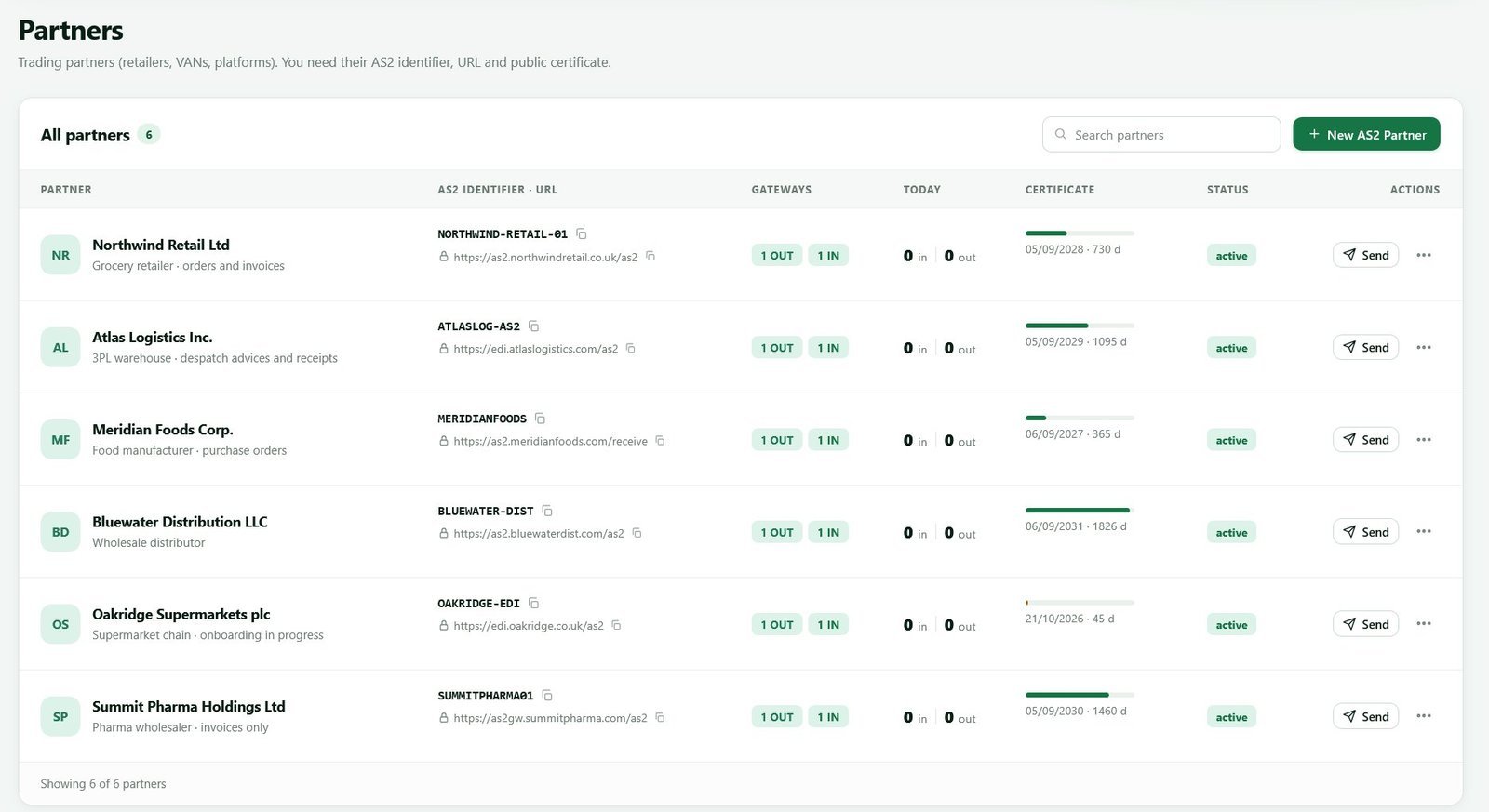
Open Partners, choose New AS2 Partner and enter Mendelson public test as the label. Set the partner AS2 identifier to mendelsontestAS2, the endpoint to http://testas2.mendelson-e-c.com:8080/as2/HttpReceiver, the MDN mode to synchronous and the partner certificate to Key4.
Select a signing and encryption combination supported by both profiles. If the console offers SHA-256 for signing and AES for encryption, those are sensible modern choices for this exercise. Save the partner and associate it only with the Mendelson test station.
Step 5: prepare a harmless AS2 test file
Create a small plain-text file named as2connection-mendelson-test.txt. A safe payload is: AS2Connection interoperability test - no production data - YYYY-MM-DD HH:MM UTC.
Use a unique timestamp in both the filename or Subject so you can distinguish your message from other users’ tests. Do not upload a production EDI document merely because the portal accepts arbitrary file types.
Step 6: send the file from AS2Connection
From the Mendelson partner or outbound-send screen:
- select the
Mendelson interoperability teststation; - select the
Mendelson public testpartner; - attach
as2connection-mendelson-test.txt; - set a unique Subject such as
AS2Connection test 2026-09-12 10:30 UTC; - review the endpoint and AS2 IDs one final time;
- send the message once.
Do not repeatedly click Send while the first request is pending. Record the AS2 Message-ID generated by AS2Connection because it is the most reliable value for matching the sender and receiver records.
Step 7: verify the MDN in AS2Connection
Open the outbound transaction and wait for the synchronous response. A successful transport test should show a positive MDN correlated to the original Message-ID. Retain the MDN disposition, returned MIC, signature-validation result and timestamp when the console exposes them.
A green or delivered state without the raw receipt details is useful operationally, but the strongest evidence is the combination of the original Message-ID, a processed disposition and a matching MIC. See how AS2 synchronous and asynchronous MDNs work if any of those fields are unfamiliar.
Step 8: confirm the same message in Mendelson
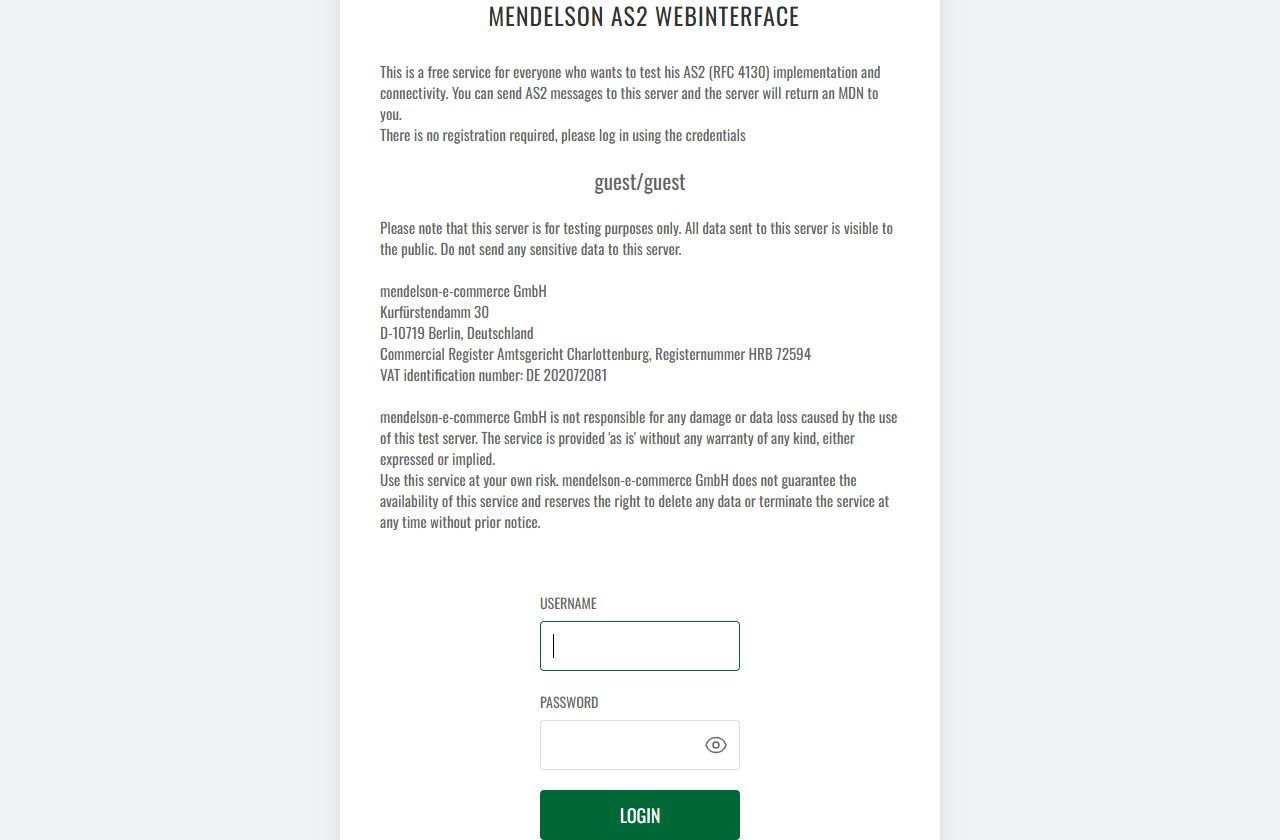
Open the Mendelson AS2 web monitor and log in with username guest and password guest. No registration is required. The login page repeats the warning that every submitted payload is public.
In the monitor:
- keep Ok selected;
- choose local station
mendelsontestwhen the filter is available; - choose remote partner
mycompany; - narrow the date range to the time of your test;
- find the unique Subject or exact Message-ID recorded in AS2Connection;
- confirm direction is inbound, sender is
mycompany, receiver ismendelsontest, MDN isSYNCand state is green/Ok.
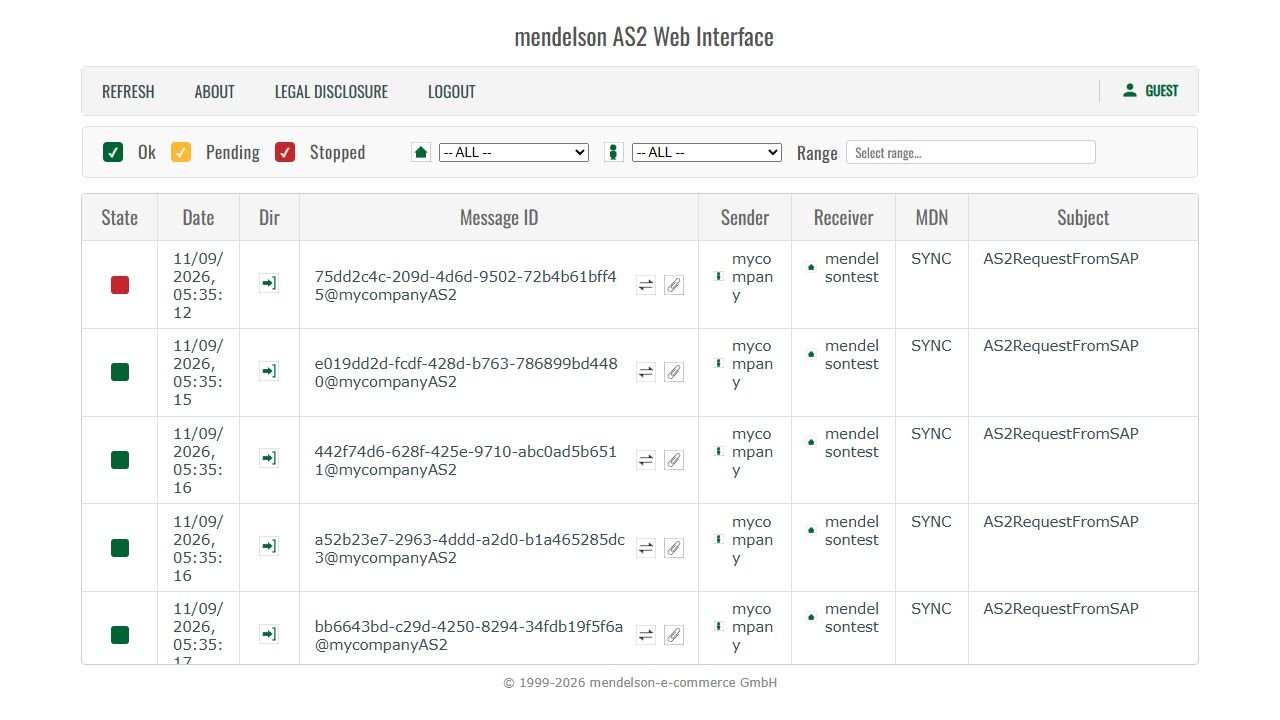
Do not open or download another user’s payload. The list is public only to support interoperability testing, not to authorize use of other organizations’ test data.
Step 9: decide whether the test passed
Declare the Mendelson test successful only when all of these facts agree:
- AS2Connection sent from
mycompanyAS2tomendelsontestAS2; - the transaction used the intended test key and Mendelson receiver certificate;
- AS2Connection stored a positive synchronous MDN;
- the MDN correlates to the original Message-ID and its MIC validates;
- Mendelson shows the same Message-ID or unique Subject as inbound and Ok;
- no production or sensitive data was transmitted.
Save screenshots of your own transaction record and Mendelson row, then disable or clearly retain the profile as test-only. A successful run is strong interoperability evidence, but the next milestone is still a bilateral test with the real trading partner.
Troubleshooting the Mendelson test
| Symptom | Most likely check |
|---|---|
| Status page is unavailable | Wait and retry later; the public service may be under maintenance |
| Unknown sender or partner | Local AS2 ID must be exactly mycompanyAS2 for this shared profile |
| Unknown receiver | Partner AS2 ID must be exactly mendelsontestAS2 |
| Signature cannot be verified | Confirm the isolated station is using Key3 and a supported signature algorithm |
| Receiver cannot decrypt | Confirm the partner profile uses the current Key4 certificate |
| HTTP timeout or refusal | Recheck the port, full /as2/HttpReceiver path, firewall and outbound proxy |
| No synchronous MDN | Confirm MDN mode is sync and inspect the HTTP response rather than only the dashboard state |
| Mendelson row not found | Filter by time and match the exact Message-ID or unique Subject |
| Mendelson is Ok but EDI is rejected later | The AS2 transport passed; investigate mapping, syntax or business validation separately |
For a deeper diagnostic sequence, use the AS2 connection troubleshooting guide.
Optional TLS variation
Mendelson also publishes a TLS test receiver at https://testas2.mendelson-e-c.com:8444/as2/HttpReceiver. Its TLS certificate is self-signed, so use this route only if the AS2Connection test profile can explicitly trust that certificate. Do not disable certificate validation globally and do not treat a browser warning as proof that AS2 itself is misconfigured. The HTTP endpoint above is the simplest way to validate AS2 signing, encryption and synchronous MDN behavior first.
Define pass criteria before testing
Agree what “ready” means. A useful acceptance record states:
- test connection and partner profiles approved;
- outbound and inbound document types covered;
- required signing and encryption algorithms;
- synchronous or asynchronous MDN behavior;
- whether signed MDN and MIC validation are mandatory;
- expected EDI 997, 999, CONTRL or application response;
- file sizes and volume represented;
- acceptable delivery and acknowledgment times;
- names of people authorized to approve production.
Without written criteria, one party may call a positive MDN complete while the other is waiting for ERP validation.
Test 1: DNS, port and TLS
Confirm that the hostname resolves from the actual AS2 runtime, not only from an administrator’s laptop. Then verify the published port is reachable and the TLS handshake succeeds.
Inspect:
- resolved IP address;
- route through outbound proxy or firewall;
- server TLS certificate name and validity;
- accepted TLS versions and cipher policy;
- mutual-TLS requirement;
- source-IP allowlisting;
- redirects, which an AS2 client may not follow as expected.
Pass condition: the sending AS2 service reaches the exact endpoint without certificate, proxy or routing errors. This still does not validate an AS2 message.
Test 2: Endpoint route and HTTP behavior
Send through the AS2 application rather than opening the URL in a browser. An AS2 endpoint may correctly reject a browser GET and accept only an AS2 POST.
Capture HTTP status, response content type, server timestamp and any gateway error. A branded HTML page from a load balancer is not an MDN, even when its status is 200.
Pass condition: the request reaches the AS2 handler and returns the type of protocol response expected for the configured MDN mode.
Test 3: AS2 identities
Send a minimal message using the agreed AS2-From and AS2-To values. Check exact case, spaces, punctuation and quotes. Confirm the receiver maps the values to the intended test partner profile.
Pass condition: the receiver identifies both parties correctly and does not report an unknown or unauthorized AS2 identity.
If this fails, compare the approved AS2 parameter sheet rather than inferring values from company names.
Test 4: Digital signature
Sign the message using the key assigned to the test profile. Ask the receiver to confirm:
- signature validation succeeded;
- actual signing certificate SHA-256 fingerprint;
- digest/signature algorithm;
- certificate validity at processing time;
- partner profile against which trust was evaluated.
Then run a controlled negative test with an untrusted test certificate or omitted signature only if both parties agree it is safe. The receiver should reject it according to policy.
Pass condition: the approved signature succeeds and the controlled invalid case is detected.
Test 5: Encryption and decryption
Encrypt with the receiver’s test public certificate and confirm that it decrypts with the intended private key. Compare fingerprints on both sides.
A decryption error can mean the wrong certificate, a missing private-key association, unsupported algorithm or damaged MIME packaging. Do not switch algorithms until the certificate direction has been verified.
Pass condition: only the intended test receiver can decrypt and the approved algorithm is recorded in evidence.
Test 6: AS2 packaging and payload
Use a representative document with the agreed content type, filename, character encoding and line endings. Confirm compression behavior where enabled.
Test at least:
- a small valid document;
- a realistic production-sized document;
- special characters used by the business;
- multiple transactions or interchanges if allowed;
- the maximum agreed file size or a safe boundary test.
Pass condition: the AS2 layer extracts the same payload checksum or agreed canonical content and hands it to the correct downstream route.
Test 7: MDN validation
For each valid message, verify:
- MDN arrived through the agreed synchronous or asynchronous route;
- disposition indicates the expected result;
- MDN signature validates when required;
- original Message-ID is referenced correctly;
- returned MIC and algorithm match the sender’s record;
- timestamps fall within the agreed service window.
For asynchronous mode, test the callback route from the partner to your real receiving environment. The outbound path cannot prove it.
Pass condition: the receipt is not merely present; its identity, signature and MIC are validated and stored. The AS2 MDN guide explains each field.
Test 8: Inbound direction
Repeat identity, signature, decryption, packaging and MDN tests with the partner sending to you. AS2 connections are often bidirectional, but a successful outbound message says nothing about your inbound firewall, private key or downstream routing.
Pass condition: inbound payload is validated, routed once and correlated to the receipt you return.
Test 9: EDI or application acknowledgment
After transport succeeds, confirm the translator and business application process the document. Depending on the standard and relationship, expect:
- X12 997 functional acknowledgment;
- X12 999 implementation acknowledgment;
- EDIFACT CONTRL;
- proprietary XML or API response;
- business document such as an order response.
Pass condition: the business response is linked to the original document and interpreted correctly. Do not mark the MDN as a business acceptance. See MDN vs 997, 999 and CONTRL.
Test 10: Negative scenarios
With both parties’ approval, execute controlled failures in the test environment:
- wrong
AS2-Tovalue; - unknown signing certificate;
- encryption with an obsolete test certificate;
- unsigned message when a signature is required;
- unsupported algorithm;
- malformed MIME or invalid payload;
- unavailable asynchronous MDN endpoint;
- EDI syntax error after successful AS2 delivery.
Pass condition: each failure produces a recognizable state, useful evidence and an alert routed to the correct owner.
Test 11: Timeout, retry and duplicate handling
Simulate an uncertain outcome, such as a delayed MDN. Confirm that retries follow the agreed schedule and do not create uncontrolled duplicate business documents.
Check how the receiver handles:
- repeated HTTP submission with the same Message-ID;
- same payload with a new Message-ID;
- repeated EDI control number;
- manual replay after an operator intervention.
Pass condition: technical recovery is possible and downstream business systems remain idempotent.
Test 12: Certificate change
If the platform supports certificate overlap, import a second test certificate and simulate a planned rotation. Confirm which certificates can be active simultaneously, how selection changes and what the rollback procedure is.
Pass condition: administrators can identify the active fingerprint and rotate without losing the working configuration. This is much safer to learn in test than during an expiry incident.
Evidence to retain
For every test case, record:
- case ID and expected result;
- sending and receiving partner profiles;
- AS2 Message-ID and business document ID;
- timestamps and environment;
- endpoint and relevant headers;
- signing and encryption certificate fingerprints;
- algorithms and MDN mode;
- HTTP status and MDN disposition;
- MIC and signature-validation result;
- EDI acknowledgment or downstream status;
- screenshots or raw logs needed for reproducibility;
- approver and date.
Redact secrets and protect payload content according to data-classification requirements. Evidence must be useful without becoming a new leakage risk.
Go-live readiness matrix
| Area | Pass condition | Owner |
|---|---|---|
| Network/TLS | Exact production route approved | Infrastructure/security |
| AS2 identity | IDs map to correct profiles | AS2 administrators |
| Certificates | Sign, verify, encrypt and decrypt succeed | Security/AS2 administrators |
| MDN | Receipt, signature and MIC validated | AS2 operations |
| Payload | Representative documents extracted unchanged | Integration team |
| EDI/application | Business acknowledgment accepted | EDI/business owner |
| Recovery | Retry, duplicate and replay behavior proven | Operations |
| Monitoring | Alerts and escalation tested | Service owner |
Production smoke test
Schedule a controlled first production message with both teams available. Reconfirm production AS2 IDs, endpoint and certificate fingerprints immediately before sending. Validate MDN and business acknowledgment, then ask the partner to confirm application receipt.
Do not use production to discover basic negative behavior. The smoke test confirms that the approved configuration was promoted correctly; it is not a replacement for test-environment coverage.
Follow how to set up an AS2 connection for the complete onboarding sequence and use AS2 troubleshooting when a test does not reach its expected state.
