
Every AS2 trading partner should have a complete, versioned profile before production files are exchanged. This checklist helps business, integration, and security teams collect the information required to configure, test, and operate an AS2 connection without relying on institutional memory.
Agree the document scope first
Write down what will move across the connection before either side configures anything: the message types (EDIFACT ORDERS, DESADV and INVOIC, or X12 850, 856 and 810), the direction of each one, the expected daily and peak volumes, and the date the first production document is due.
Decide at the same time whether business acknowledgments are in scope. A CONTRL, APERAK, 997, 999 or 824 travels over the same connection but belongs to a different layer than the MDN, and someone has to own the queue of documents that were transported correctly and then rejected by the partner’s application.
Record individuals rather than role titles. That means the business owner who can approve go-live, one technical contact per side, an escalation contact, and the field most often missing: the person on the partner’s side who can approve a change window. Large retailers freeze configuration changes for weeks around peak trading, and a certificate rotation that lands inside a freeze will wait.
Partner and ownership
- [ ] Legal partner name, business owner, technical contact, and escalation contact.
- [ ] The partner’s current implementation guide and revision date.
- [ ] Test and production timelines, hours of operation, and expected volumes.
- [ ] Clear ownership for AS2 configuration, EDI translation, ERP processing, and support.
AS2 connection details
- [ ] Your AS2 ID and the partner’s AS2 ID.
- [ ] Test and production endpoint URLs.
- [ ] HTTP authentication, IP allowlisting, proxy, or firewall requirements.
- [ ] Inbound return URL, where required for asynchronous MDNs.
- [ ] Partner-specific file names, size limits, and compression expectations.
The AS2 trading partner onboarding form, field by field
Most of AS2 trading partner onboarding is one exchange of parameters, and delays commonly come from a single field copied wrong or never sent. Keep one filled-in copy of the table below per partner and per environment, and keep it where the next person will find it rather than in the thread it arrived on. It records your own values and the person who owns each of them; for what breaks when one of them is wrong, see how to set up an AS2 connection with a trading partner, and the AS2 protocol guide for the mechanics behind each field.
| Field | Owner on your side | Example value | Where it is recorded |
|---|---|---|---|
| Your AS2 identifier | EDI or integration lead | 8412345000010, the company GLN | Partner profile, and the connection form you return to the partner |
| Your public certificate and its SHA-256 fingerprint | The named certificate owner | acme-as2.cer, fingerprint read back on a call | Certificate inventory, with the expiry date and a renewal reminder |
| Your receiving URL and port | Whoever operates the station | https://acme.as2connection.com/as2 | Station configuration, and the partner’s profile of you |
| Your return URL for asynchronous MDNs | Whoever operates the station | https://acme.as2connection.com/mdn | Station configuration, only where an asynchronous MDN is agreed |
| Your outbound source IP address | Network team | One static address per environment | The partner’s firewall request, with its ticket reference |
| Encryption, signing and compression settings | EDI lead, with security sign-off | AES-256, SHA-256, compression enabled | Partner profile, revisited at the annual re-check |
| MDN mode and whether it is signed | EDI lead: you request the mode, the partner agrees it | Asynchronous, signed | Partner profile, against the clause in their implementation guide |
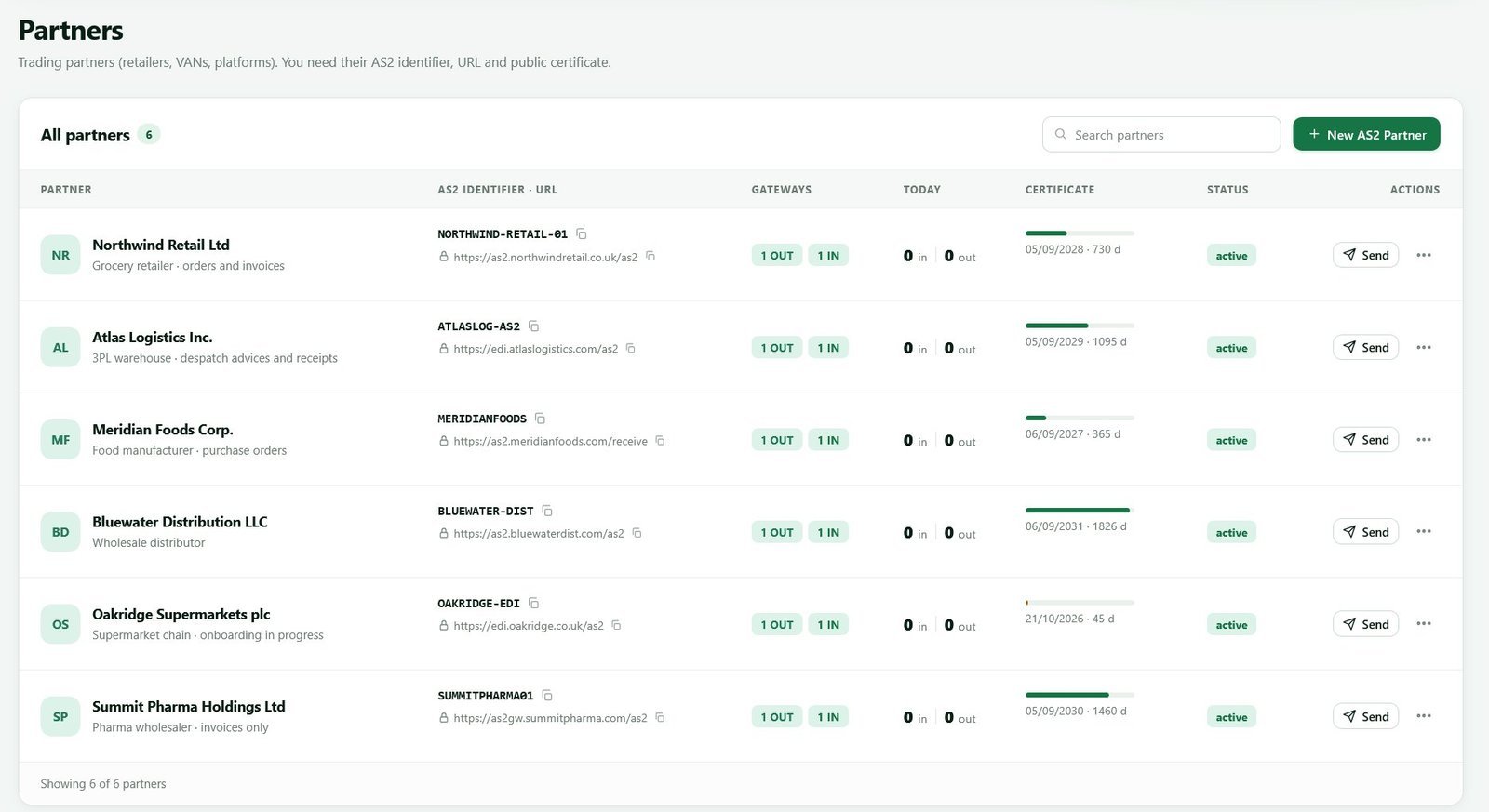
| The partner’s identifier, URL and certificate | Whoever read the implementation guide | Copied from the guide, never retyped | Partner profile, with the guide’s revision date |
Test and production usually differ in URL, and often in AS2 identifier too, so a record that mixes the two will pass testing and then send live invoices to a test queue. One line is worth stating carefully, because it is written down backwards more often than any other: the MDN mode is requested by the sender, in the Disposition-Notification-To and Disposition-Notification-Options headers, and agreed with the receiver. A partner can require a particular mode in their implementation guide, but the header that asks for it is always the sender’s.
Certificates and crypto policy
- [ ] Partner public certificate, its fingerprint, purpose, and expiry date.
- [ ] Your public certificate supplied to the partner through a verified channel.
- [ ] Signing and encryption algorithms approved by both parties.
- [ ] Certificate rotation owner, renewal lead time, and notification contacts.
- [ ] Secure storage for private keys and an access review process.
The AS2 certificates explained resource gives the team a common vocabulary for this checklist.
MDN and testing policy
- [ ] Is an MDN required? Must it be signed?
- [ ] Is the MDN synchronous or asynchronous?
- [ ] Which statuses are accepted, and how are negative MDNs handled?
- [ ] Test payloads, test case identifiers, and expected acknowledgments.
- [ ] A documented pass/fail rule for transport, EDI validation, and business processing.
Do not mark an integration complete after seeing an HTTP 200 response alone. Verify the MDN, then verify the partner’s downstream document result. Review synchronous vs asynchronous MDNs before deciding test criteria.
The five tests to run before go-live, and how to pass each one
Give every test a written pass criterion before you run it. These five cover almost every failure worth catching while nothing is at stake.
- Transport test — send a small agreed payload outbound. It passes when the MDN reports the disposition processed, its signature validates against the partner’s certificate, and the Received-Content-MIC matches the hash of what you sent. Record the Message-ID.
- Inbound test — ask the partner to send you a message. It passes when the file reaches the system that has to process it, not just your gateway, and the partner confirms it got the MDN your station returned. This is where delivery into your ERP is exercised for the first time.
- Negative test — send something deliberately wrong, such as a message encrypted with an algorithm the partner does not accept. It passes when the partner returns a negative MDN, you can read its disposition modifier —
decryption-failedorinsufficient-message-securityfor that case, both defined in RFC 4130 — and your alerting fires. - Business document test — send a real document carrying the agreed test indicator. It passes only when the partner confirms its translator parsed the document and its application accepted it. A positive MDN on a document their translator rejects is still a failed test.
- Duplicate test — agree it in advance, then resend a message with the same Message-ID. It passes when the partner discards it as a duplicate and says so. This is the test that stops the reflex of resending because an MDN was slow, which is how the same invoice gets posted twice.
Keep the message identifiers, MDNs and timestamps from each test. If one fails, work from the message timeline rather than from theories about the network; AS2 connection troubleshooting lists what each disposition modifier means and how to tell a transport failure apart from an AS2-level rejection.
Production readiness
- [ ] Production partner profile reviewed by a second person.
- [ ] Alerts configured for failed messages, missing MDNs, retries, and certificate expiry.
- [ ] Runbook includes how to retrieve an original payload and audit trail.
- [ ] Cutover window and fallback steps approved by both parties.
- [ ] Post-go-live monitoring period and escalation contacts agreed.
Sign-off and the annual re-check
The record that closes onboarding is short: who approved go-live on each side, the date, a snapshot of the agreed values, and the identifiers of the test messages that passed. That snapshot is your audit evidence, and it is what you compare against when a partner reports a problem a year later.
Put a yearly review in the calendar: certificate expiry on both sides, whether the agreed algorithms are still acceptable, whether the contact mailboxes are still monitored, whether your outbound IP address is still the one the partner allow-listed, and whether volumes have outgrown your plan. Retention sets how far back you can produce a message and its MDN, which the plans and retention page states.
This document should live alongside the partner profile and be updated after every material change. With a centralized AS2 gateway, the platform configuration and operational checklist can remain aligned rather than split among spreadsheets and inboxes.
Frequently asked questions
How long does AS2 trading partner onboarding take?
Plan in weeks rather than days, and expect most of the elapsed time to be non-technical. The calendar goes to the partner’s onboarding queue, their IP allow-listing change, the certificate exchange and a testing slot, none of which you control. A partner you already trade with elsewhere is usually faster, because the contacts already exist.
Do I need a separate certificate for each trading partner?
No — one station certificate normally serves every partner, and each new partner imports it as part of onboarding. Some partners require a CA-issued certificate, or separate certificates for signing and encryption, so read their implementation guide first; AS2 certificates explained covers both cases and what a rotation asks of every partner who imported the old one.
What is a trading partner implementation guide?
It is the document in which a partner states how the connection and the documents must work: AS2 parameters, algorithm requirements, MDN mode, file naming and size limits, and the segment-level rules for each message type. Check its revision date at onboarding and again at your annual review.
Can we start testing before certificates are exchanged?
You can test the network path but not the protocol. Reaching the partner’s endpoint proves DNS, TLS, the port and the allow-list are right, and those are the slowest items to fix. Nothing can be signed, encrypted or acknowledged until both sides have imported each other’s public certificate.
Use AS2Connection for a managed AS2 connection, then apply this checklist as the standard way to onboard each new partner. For the end-to-end sequence, read how to set up an AS2 connection.

Leave a Reply